Snipchat, an AI assistant
Designing AI assistant for Mathpix Snip documents.
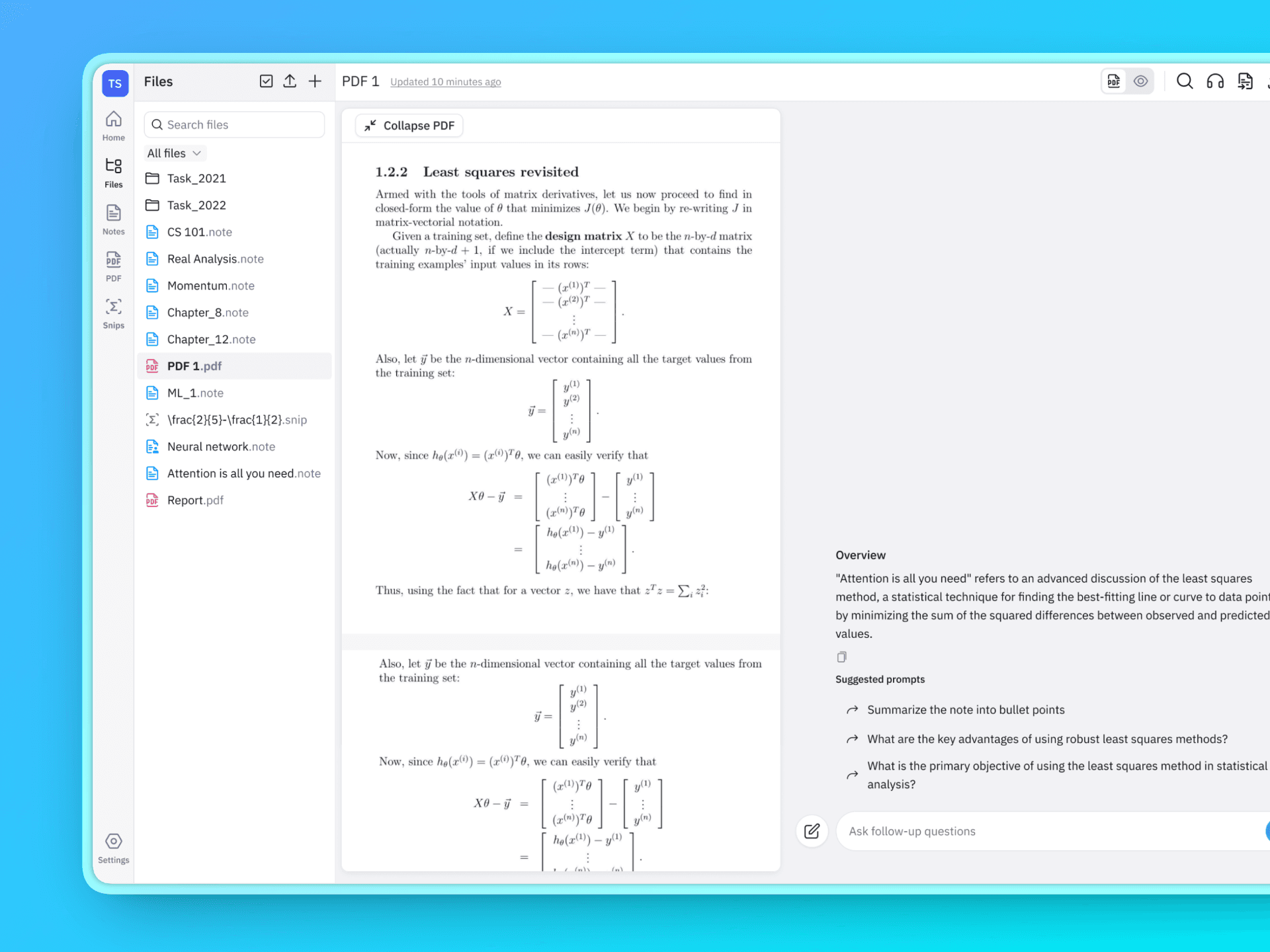
Project overview
Mathpix Snip is used by 1M+ users worldwide and the users rely heavily on our product for STEM focused document as well as general documents. This feature is supposed to streamline our users workflow by adding AI assistant feature.
Project Goals
AI-Powered Understanding
Enable users to analyze and summarize complex documents using best-in-class AI assistant models—turning dense technical content into clear, actionable insights.
All-in-One Document Workflow
Reduce cognitive load and tool switching by bringing reading, analysis, and interaction into a single, seamless document experience.
Deep Technical Accuracy
Leverage Mathpix’s high-accuracy OCR and structured JSON outputs to deliver reliable explanations for mathematical, scientific, and chemical content within an AI-chat environment.
Our Assumptions and Intuition
We assumed currently users are using Chatgpt, Claude, Gemini for interacting with their documents. Then we tried to figure out what are the main pain-points of this using this productivity setup for interacting with documents.
Here’s what we found out by just using Chatgpt and Claude:
Lack of In-Context Visibility
Users can’t view PDF content while interacting with the assistant, forcing them to switch contexts to reference information.
Inconvenient Content Referencing
To ask about specific diagrams, equations, tables, or charts, users must manually provide screenshots or cropped images from the document.
Limited Trust & Verification
When AI responses are incorrect, users struggle to validate accuracy because the document isn’t visible alongside the conversation.
Fragmented Document Workflow
Users must upload a new file each time to interact with different documents, breaking continuity and slowing down analysis.
First Iteration
Gathering user testing data
Two PhD and postdoctoral students work as advisors at Mathpix and served as our user base for this testing.
Problem 01
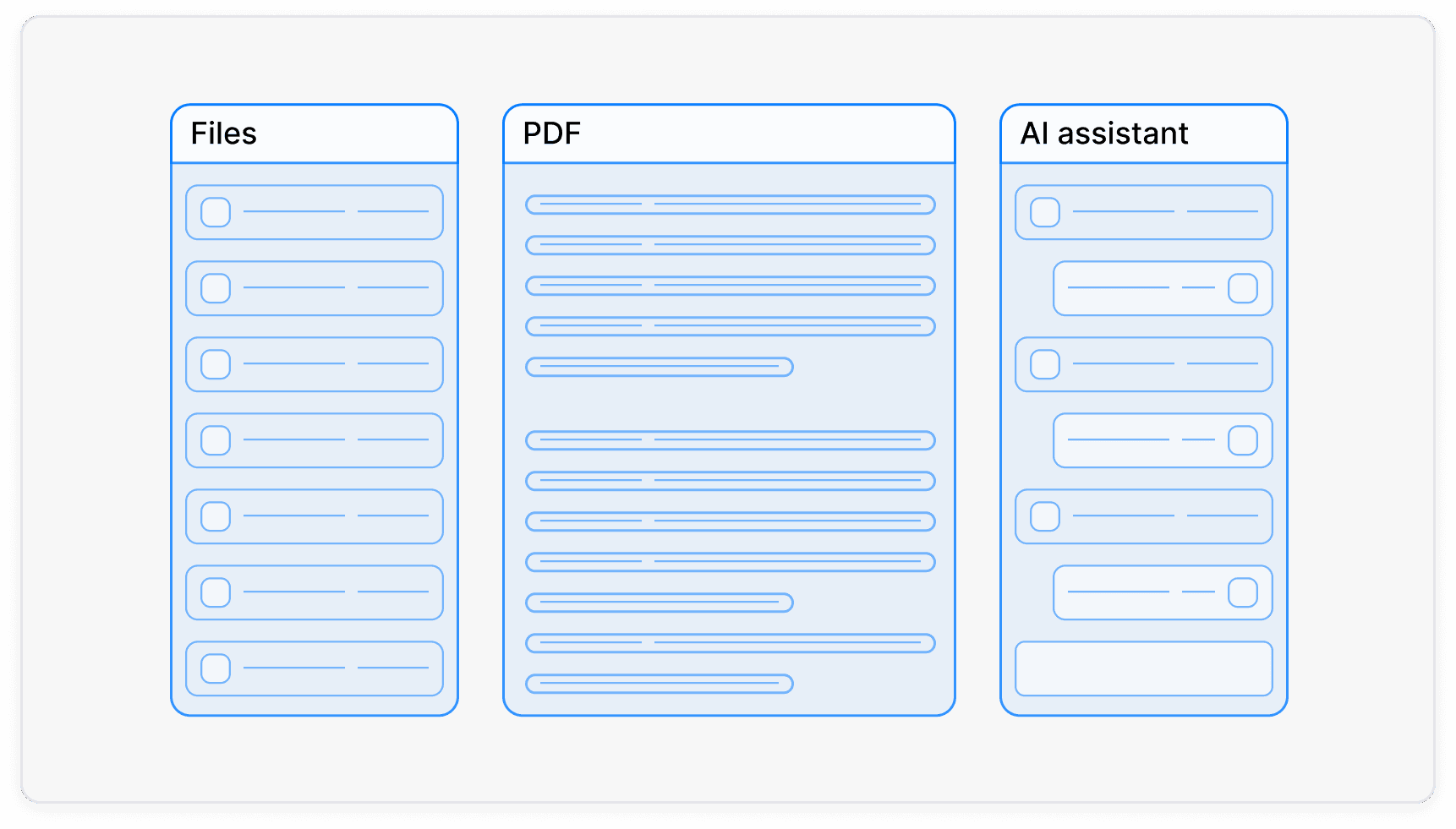
Three-Panel Layout Makes PDFs Hard to Read on Smaller Screens
Users report that the three-panel setup makes the PDF panel too narrow to read comfortably. One user noted they constantly have to resize panels depending on which one they’re using. This feedback led us to discover that a significant portion of users—44%—are on 13.3” screens, where the issue is especially pronounced.
Problem 02
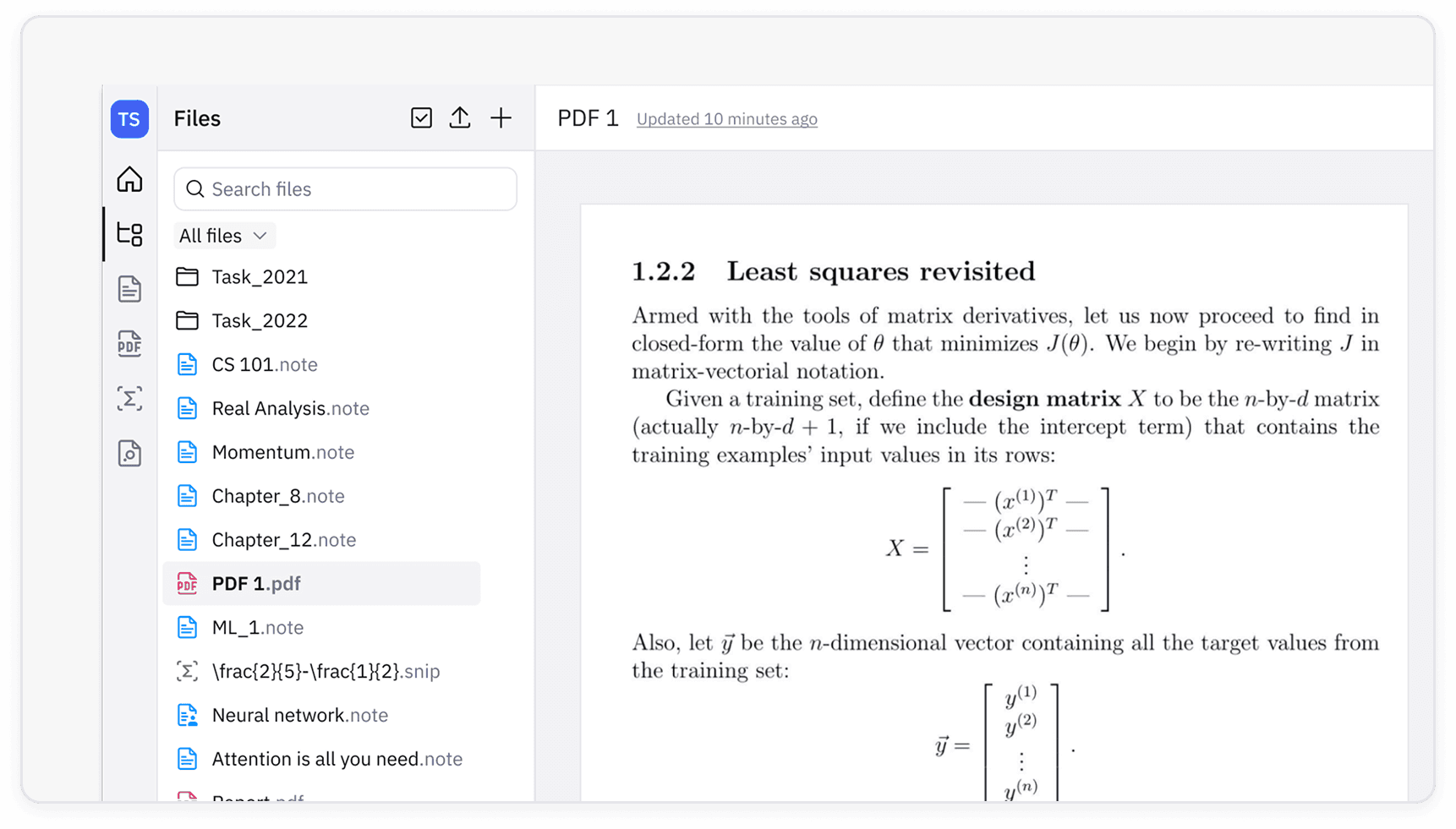
Keeping the Document List Open Further Narrows the PDF View
We also know that most Snip Web users keep the document list panel open while working. This further reduces the available space for the PDF, reinforcing that the three-panel setup is too narrow for many users—especially those on smaller screens.
Problem 03
Users Prefer a Full-Width Chat Experience Over a Side-Panel UI
When users are interacting with the AI assistant, they don’t need the document to be visible at all times. Many expressed a preference for a ChatGPT-like interface, noting that its full-width, chat-focused layout is significantly more readable than an AI assistant constrained to a side panel.
Final Iteration
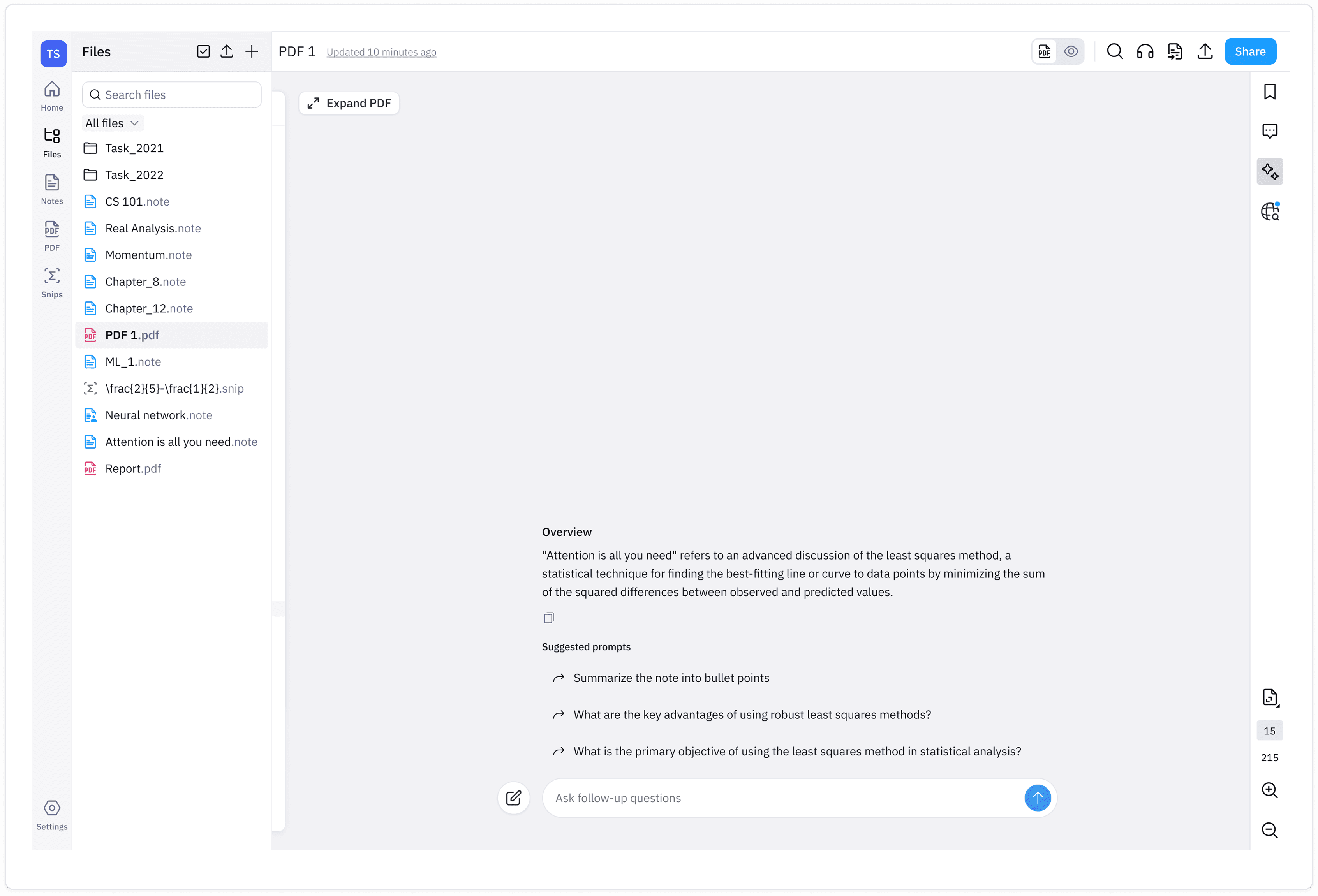
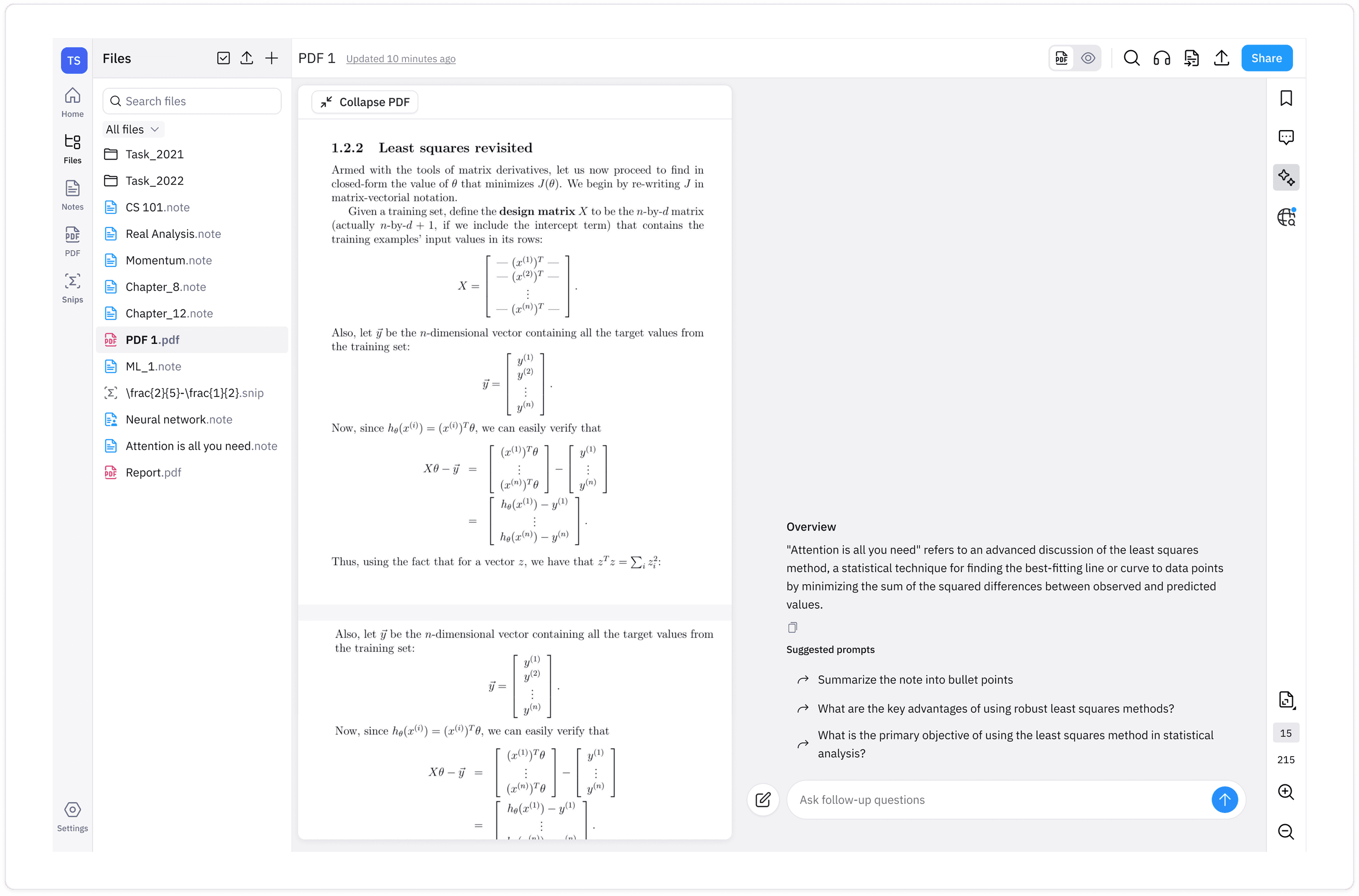
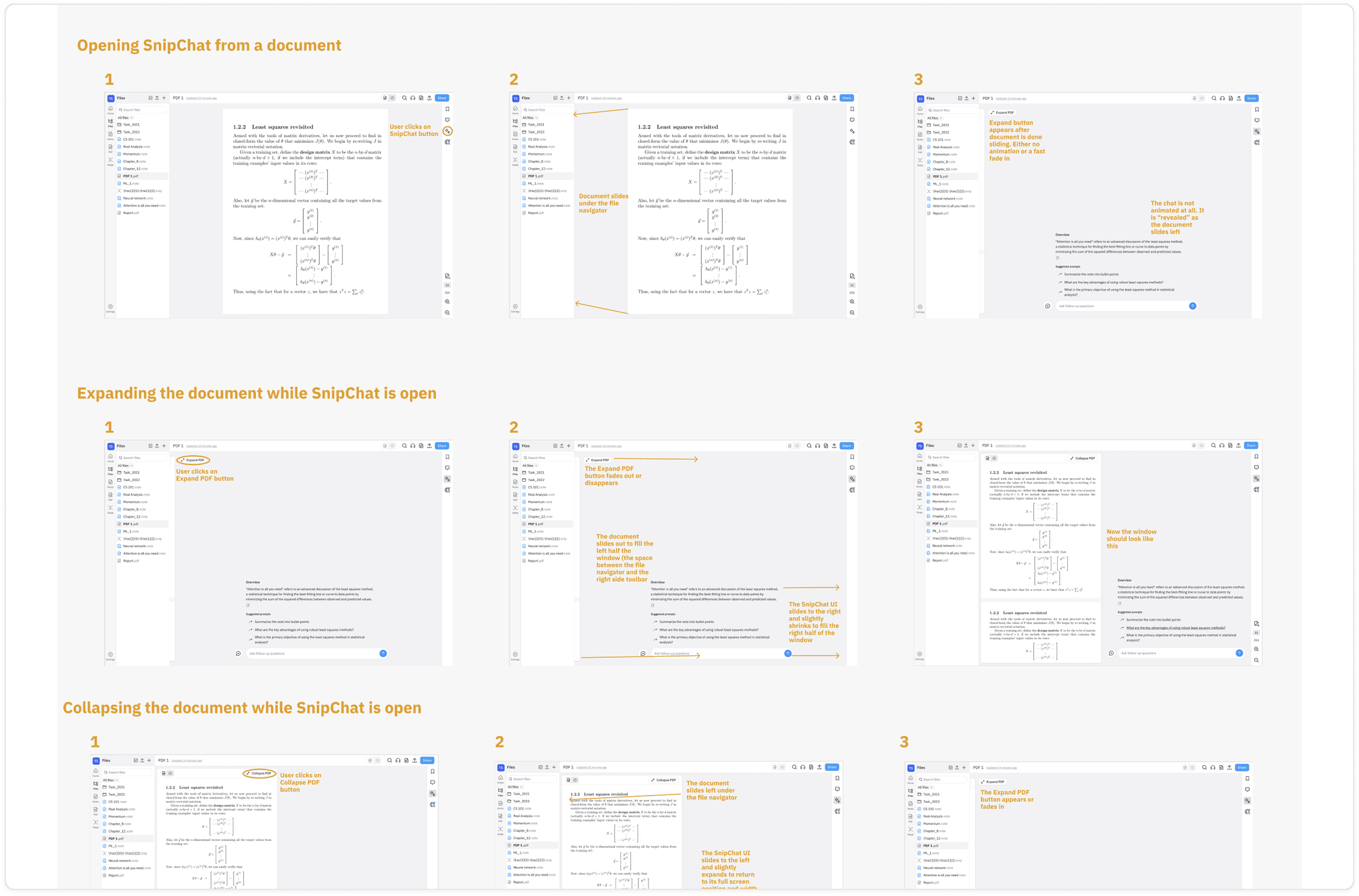
With the finding I went to design this quite a few variant for this UI. After a few version later I came to this final UI for Snipchat.
Detailed Screens
With the finding I went to design this quite a few variant for this UI. After a few version later I can to this final UI for Snipchat.
Benefits to this new UI approach to AI assistant
Two PhD and postdoctoral students work as advisors at Mathpix and served as our user base for this testing.
Let’s users to add other documents from their repository i.e pdfs, notes and snips for larger context while engaging with the AI assistant.
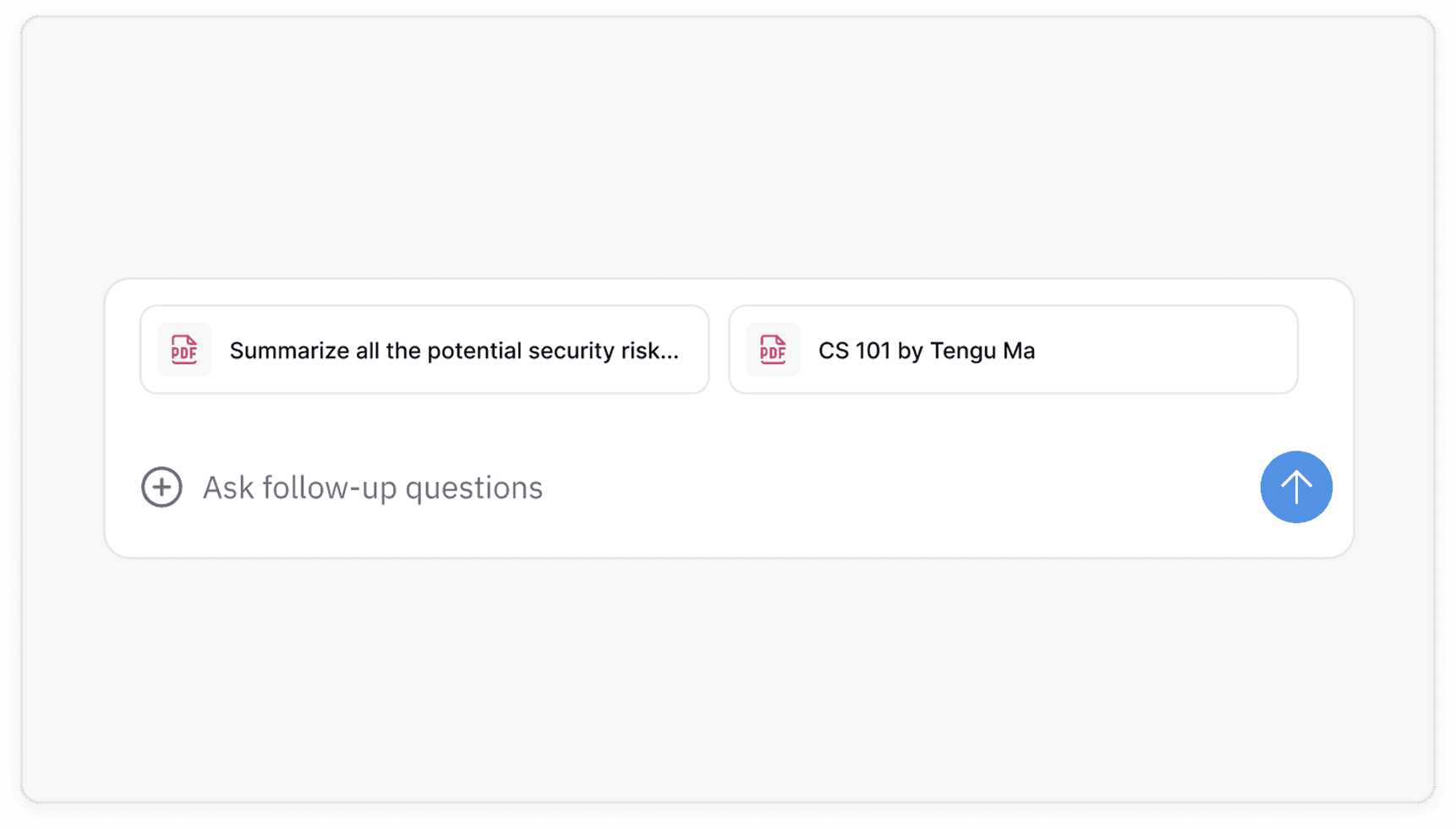
As users will have access to their document, they’ll be able to add chemical diagrams, images, equations to the prompt to get better answer which users can’t do with Chatgpt or Claude.
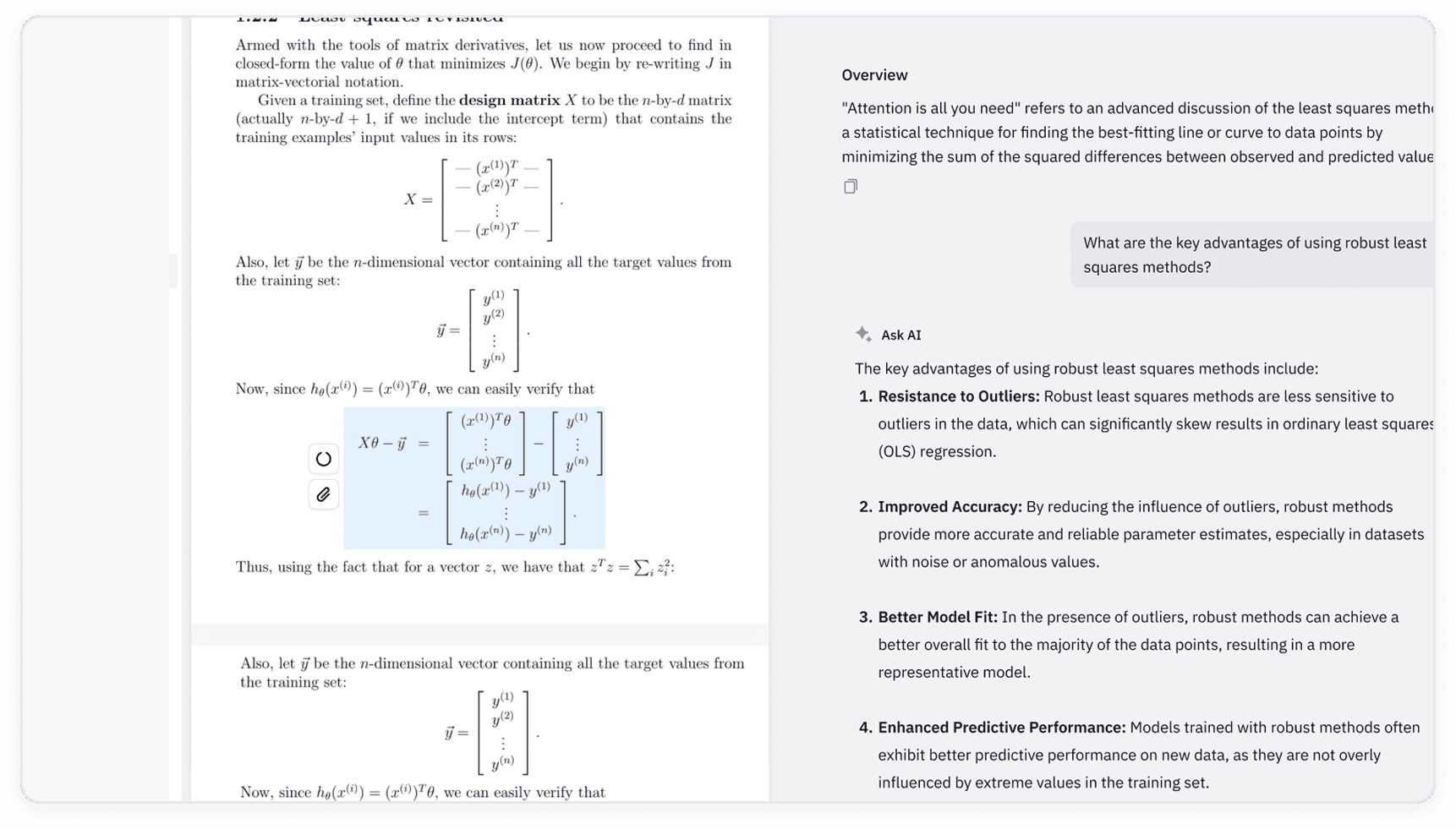
This UI allows us to add more functionalities like better prompt writing which would have been cluttered with the previous UI.
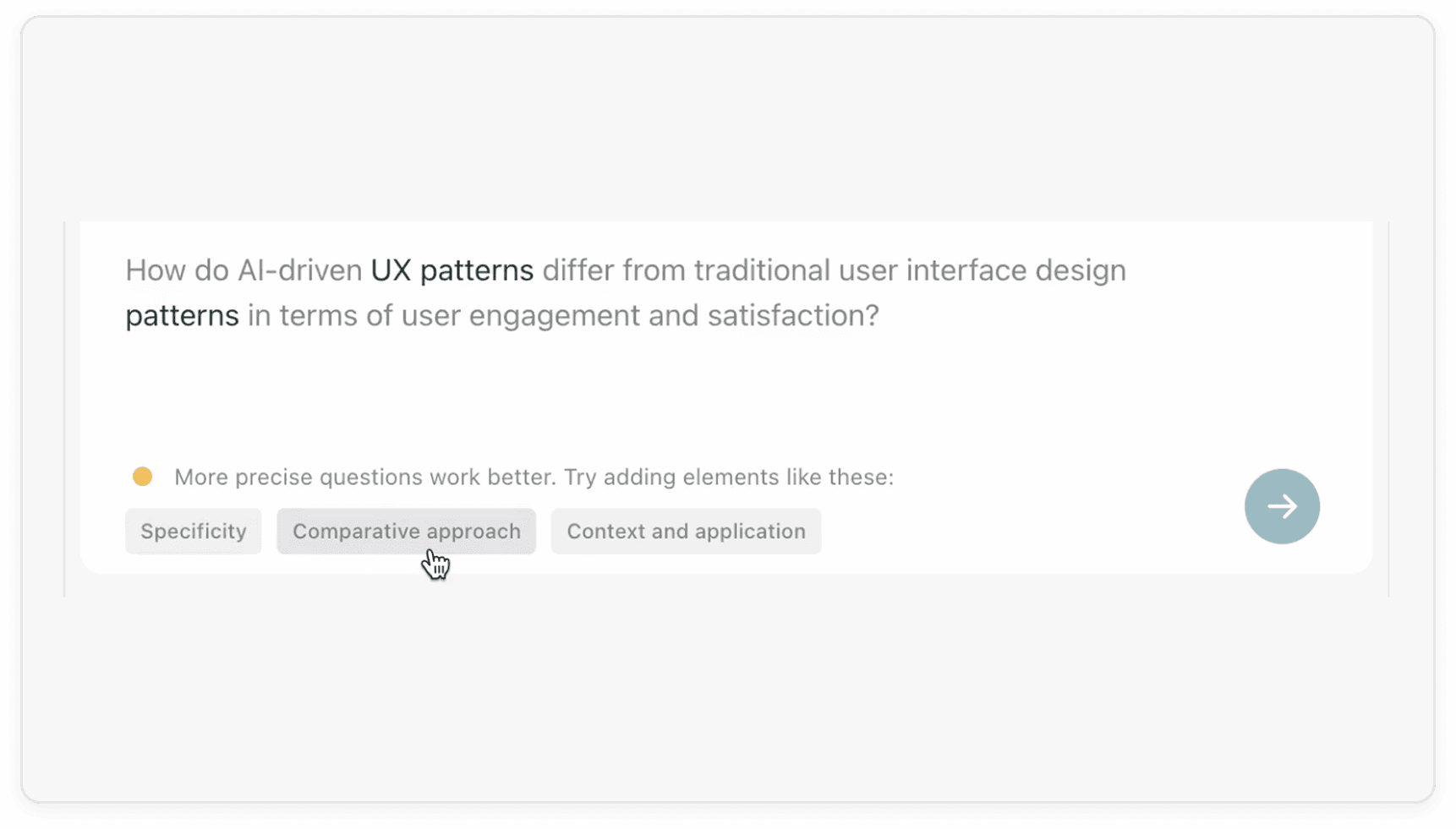
Enable better features for accessibility i.e. find missing alt text for figures, adding AI generated atl text, finding accessibility issues with one prompt.